Organization
Role
Year
Modality
Celebrity Home Loans
Instructional Designer
2022
eLearning
Situation
After learners completed an instructional video touring the Loan Origination System (LOS), there was a need to confirm they could actually navigate the interface. The knowledge check was intentionally designed as “open note,” reflecting real working conditions where mortgage loan officers move between systems, reference materials, and their knowledge hub throughout the day.
Task
Design a knowledge check that tested real navigation skills rather than recall alone. The quiz needed to mirror how learners use the LOS in their day-to-day work and include realistic questions and screenshots from the live environment.
Action
Using Articulate Storyline, I created a seven-question quiz built around authentic scenarios. Learners were expected to switch between windows, reference available resources, and interact with the interface in ways that closely matched their actual workflow in Encompass. The questions focused on finding information and completing tasks, not memorizing steps.
Result
The quiz gave learners a safe, low-pressure opportunity to practice navigating Encompass and apply what they had learned. This approach helped reinforce familiarity with the system and build confidence before learners returned to their day-to-day responsibilities.
Learned
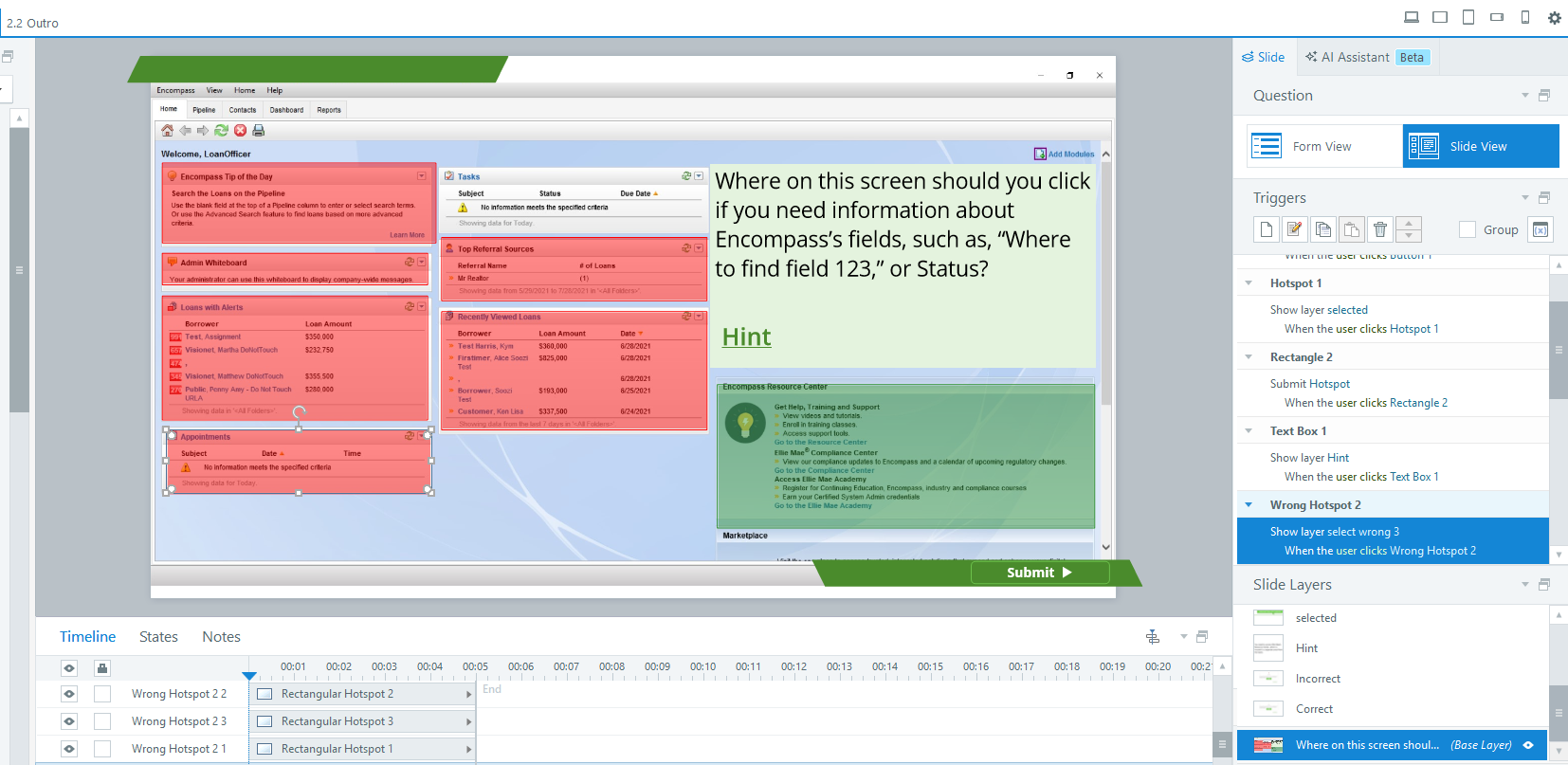
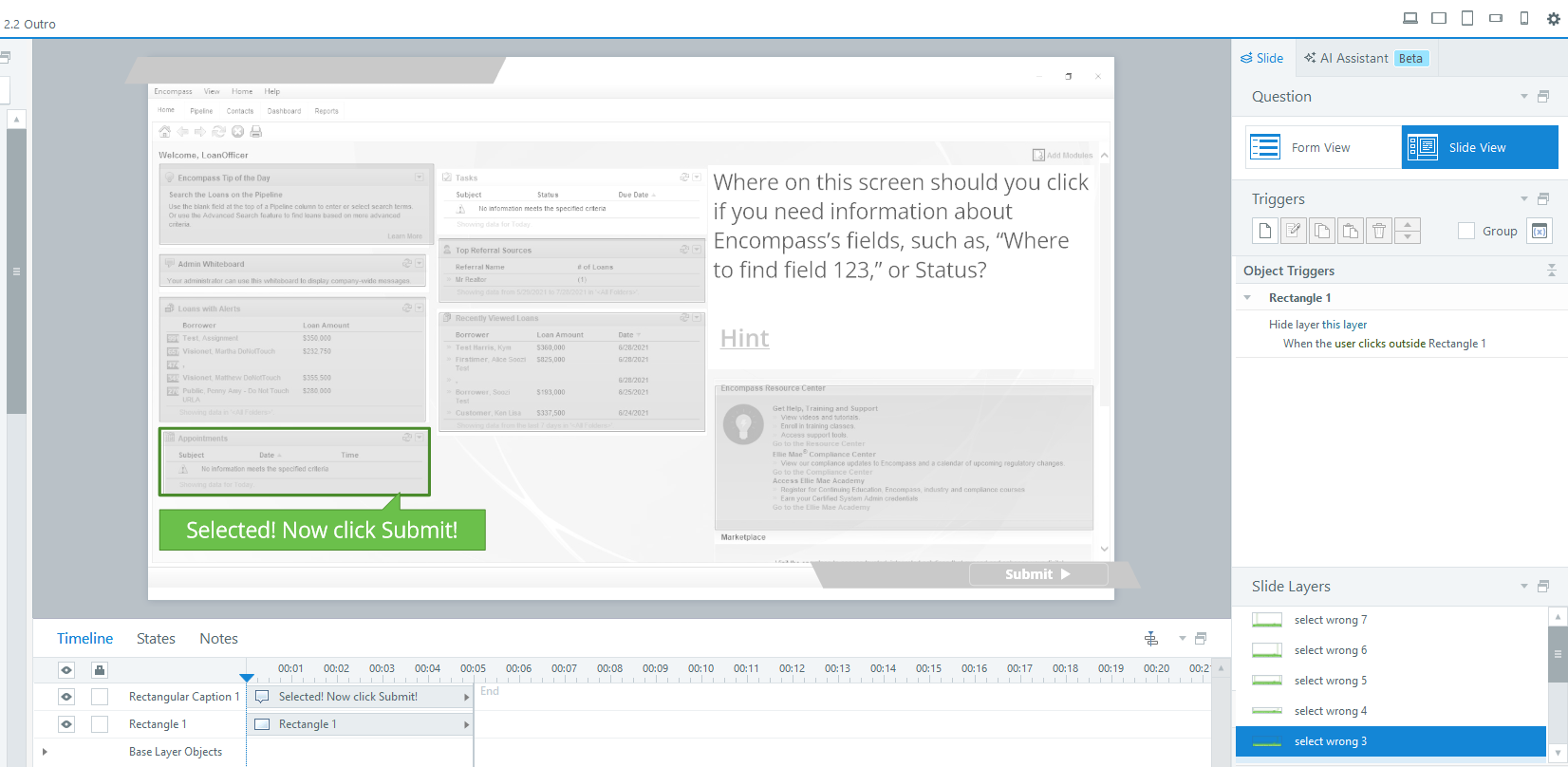
During review, one SME noted that it was difficult to tell where a click had been registered in the hotspot questions. Based on this feedback, I added a clear visual “selected” layer that appears when a learner clicks an area. This small change improved clarity, reduced confusion, and made the interaction more intuitive for both learners and reviewers.
Project Walkthrough: Encompass Loan Origination System Quiz
Project Write-Up: LOS Knowledge Check
In this article, I’m taking a closer look at an eLearning quiz I designed as a low-stakes, open-note knowledge check. The quiz follows a short series of instructional videos that walk learners through the interface of a Loan Origination System (LOS). Rather than testing memorization, the goal was to give learners a chance to practice navigating the system in a way that mirrors how they actually work.
Why this matters: tools like an LOS are learned best through realistic practice. When learners can safely reference resources and recover from small mistakes, they build confidence faste. That confidence carries directly into their day-to-day work.
Designing for Practice, Not Pressure
This knowledge check was never meant to trip anyone up. In real life, mortgage loan officers regularly move between systems, reference materials, and job aids throughout their day, so the quiz was intentionally designed to reflect that reality. Learners were encouraged to switch windows, consult the knowledge base, and use the resources available to them—just as they would on the job.
The quiz opens with a simple, confidence‑building question that targets the first place a mortgage officer would typically click: identifying the most recently accessed loan. Starting with an easy win helps learners get comfortable and quickly understand that the experience is supportive, not punitive.
Reinforcing Resource‑First Habits
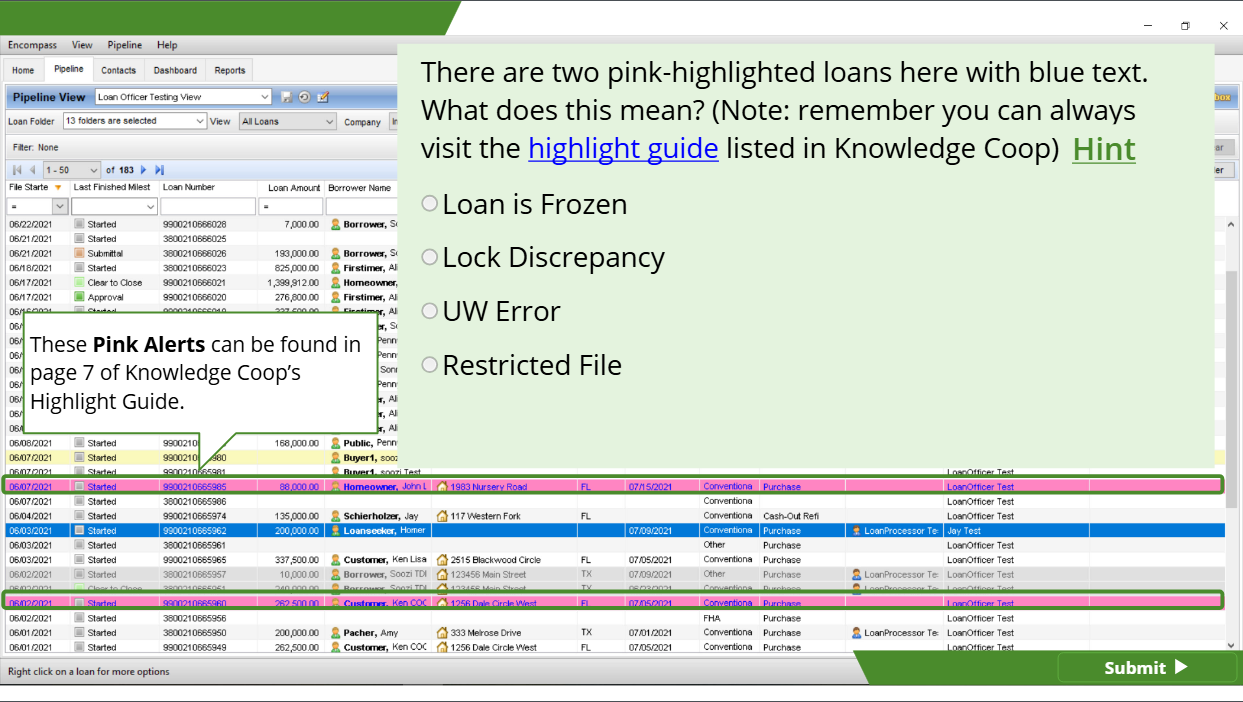
My second favorite slide is the third question in the quiz. It’s not a difficult question—as long as learners are checking the linked knowledge base article included in the prompt. This was a very intentional choice.
By designing the question this way, the quiz reinforces an important habit: checking available resources before guessing or escalating an issue. It gently rewards learners for using the tools already at their disposal, helping build behaviors that carry over into real work.
A Note on Content Safety
All content shown in this example has been fully scrubbed to remove any sensitive or proprietary information. The company that originally commissioned this work is also no longer in business, which allows me to share this example openly and transparently.
Conclusion
Thanks again for taking the time to explore this project. I hope this example gives you a sense of how I approach instructional design—keeping things practical, learner-friendly, and grounded in how people actually work. If this kind of thoughtful, real-world learning design sounds like something your team could use, I’d love to connect and talk more.
Examples
You’re also welcome to download the eLearning file, and explore the experience for yourself!